How to Draw the Beast
This tutorial, created especially for children, will show you how to draw the Beast from the Disney cartoon Beauty and the Beast in a simplified style.
Prepare to Draw the Beast
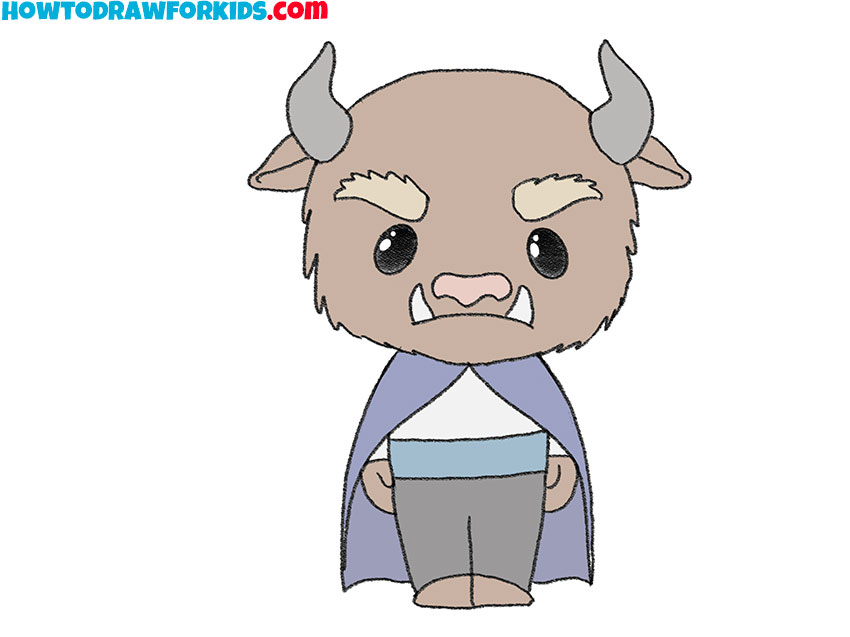
The Beast combines an animal-like head with a human figure. The main challenge is making these different parts belong to the same character.
His head is much larger than his torso. Children often make the shoulders too wide, which changes the simple cartoon proportions used here.
The eyebrows give the face its angry expression, so their angle matters more than small differences between the eyes. Slightly uneven horns or ears will not spoil the character.
Beast Drawing Tutorial
Materials
- Pencil
- Paper
- Eraser
- Coloring supplies (brown, gray, and blue)
Time needed: 30 minutes
How to draw the Beast step by step
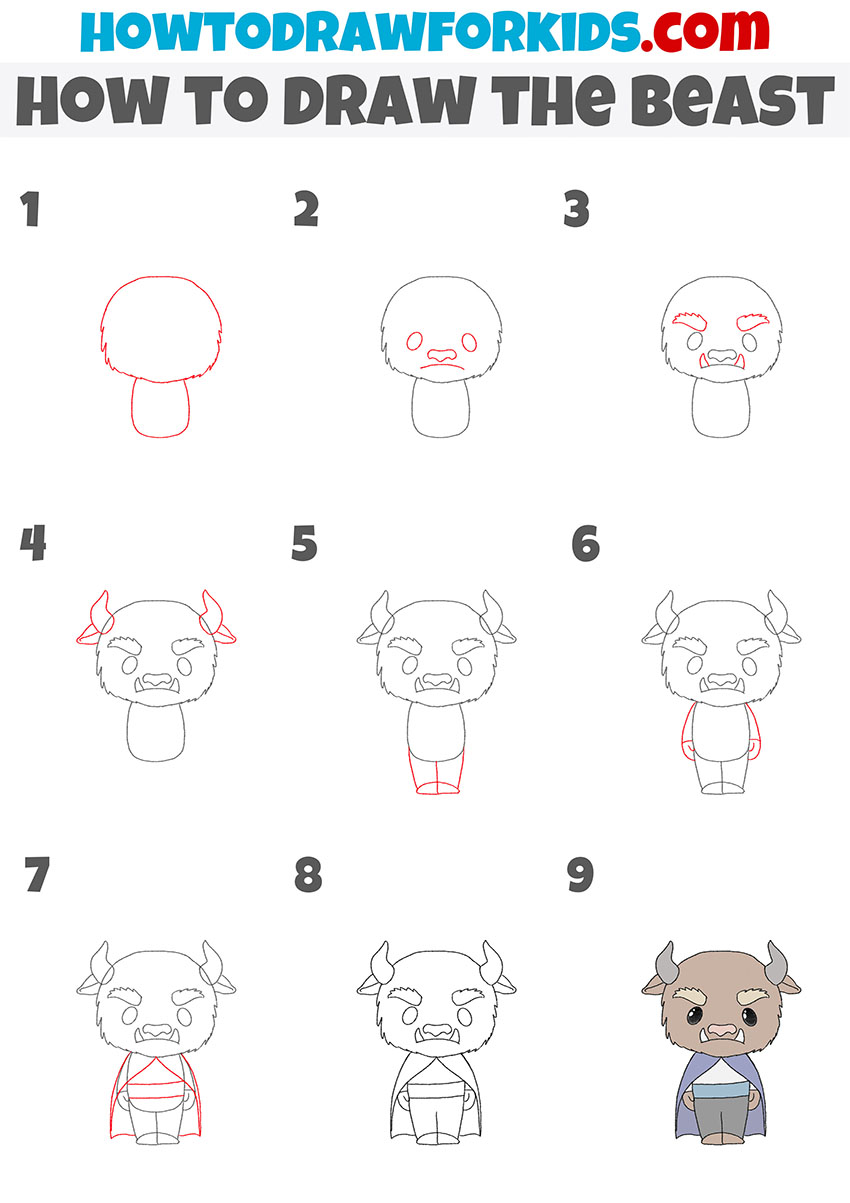
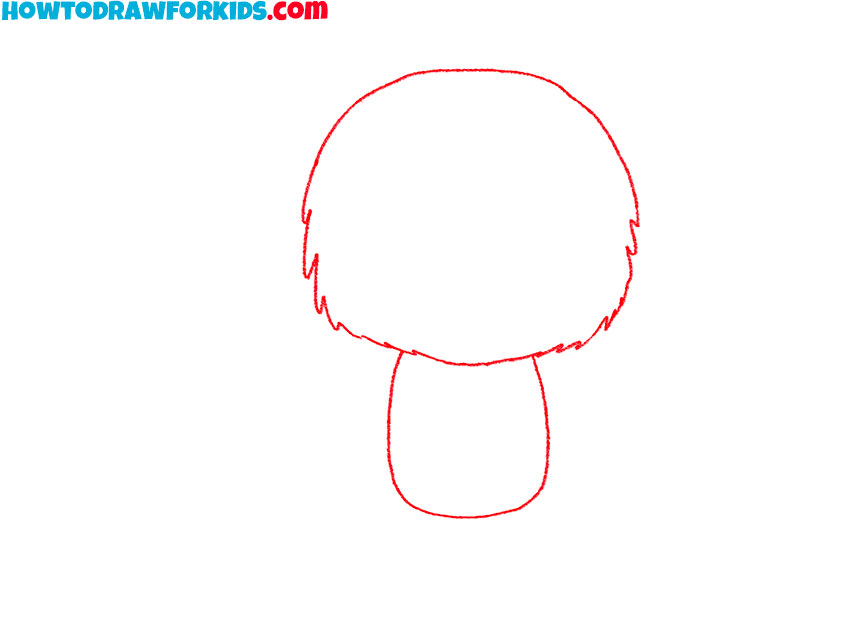
- Outline the Beast’s head and torso.
Sketch a large head that is wider near the cheeks. Use short pointed lines along the sides for the fur, then add a small torso directly beneath the head.
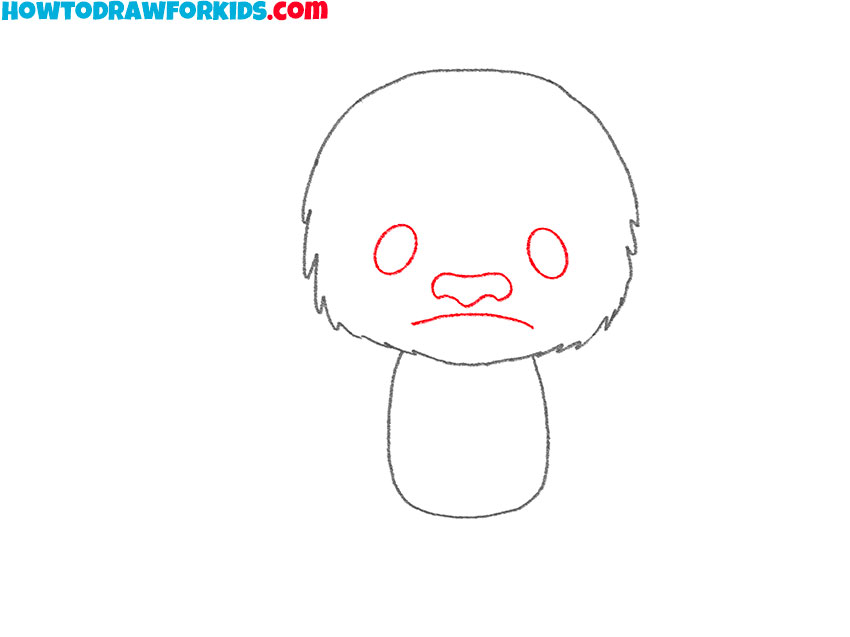
- Add the Beast’s facial features.
Place two oval eyes near the center of the face. Below them, outline the wide nose and add a curved mouth, leaving enough space above the mouth for the fangs.
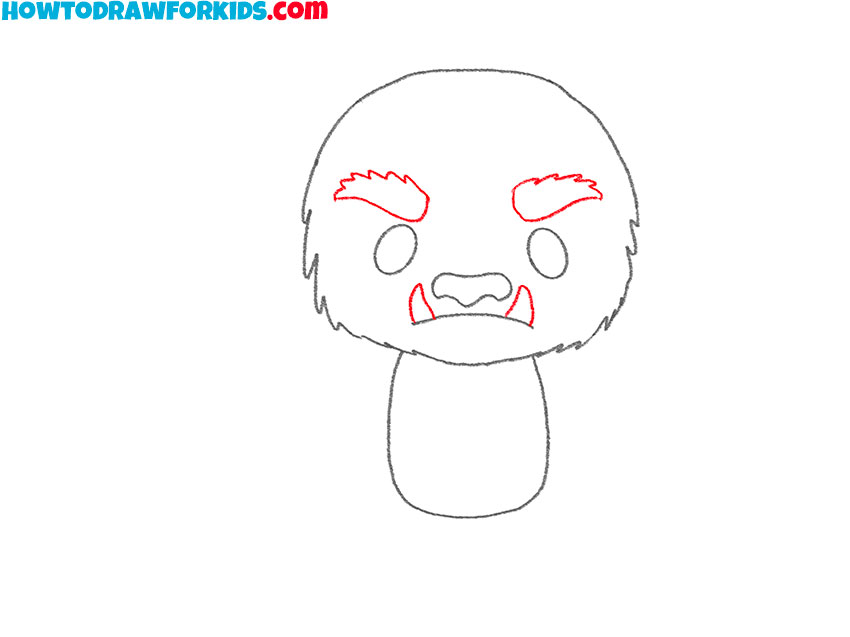
- Sketch the eyebrows and sharp fangs.
Above the eyes, add two thick eyebrows that slope down toward the nose. Draw one pointed fang on each side of the mouth to strengthen the Beast’s angry expression.
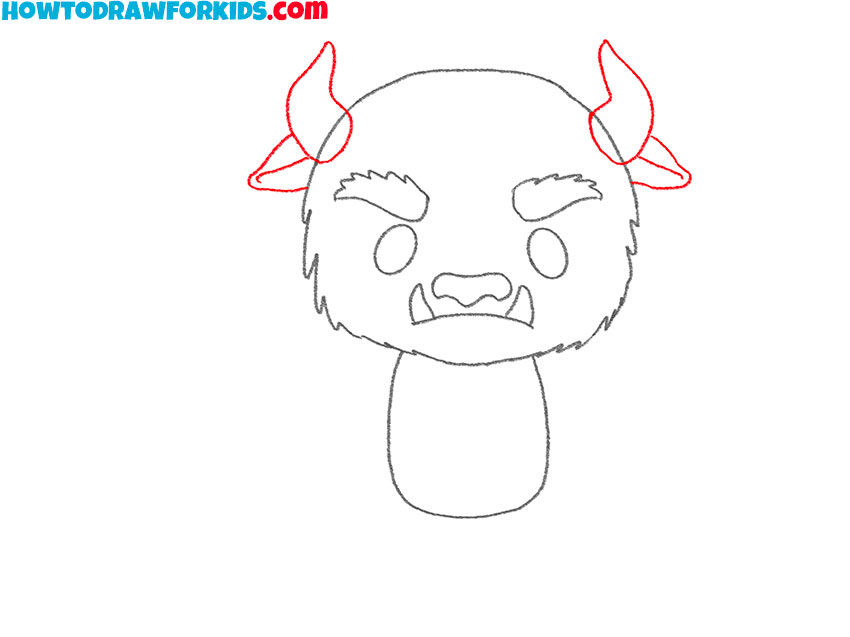
- Depict the Beast’s horns and ears.
At the top of the head, outline two short horns that point outward. Add an ear below each horn and place them at about the same height on the sides of the head.
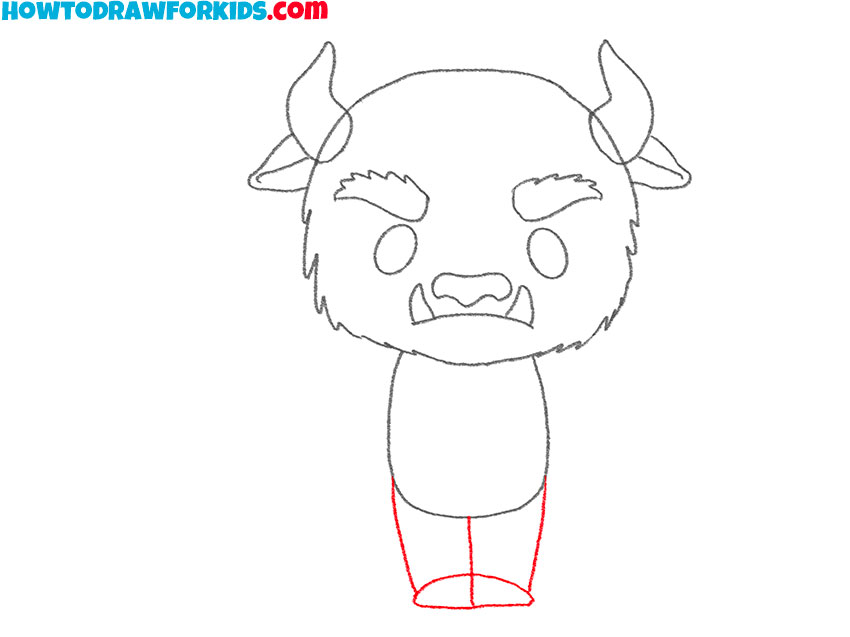
- Draw the character’s short legs.
Below the torso, outline two short legs placed close together. Widen each lower edge slightly to form the feet, and separate the legs with a narrow gap.
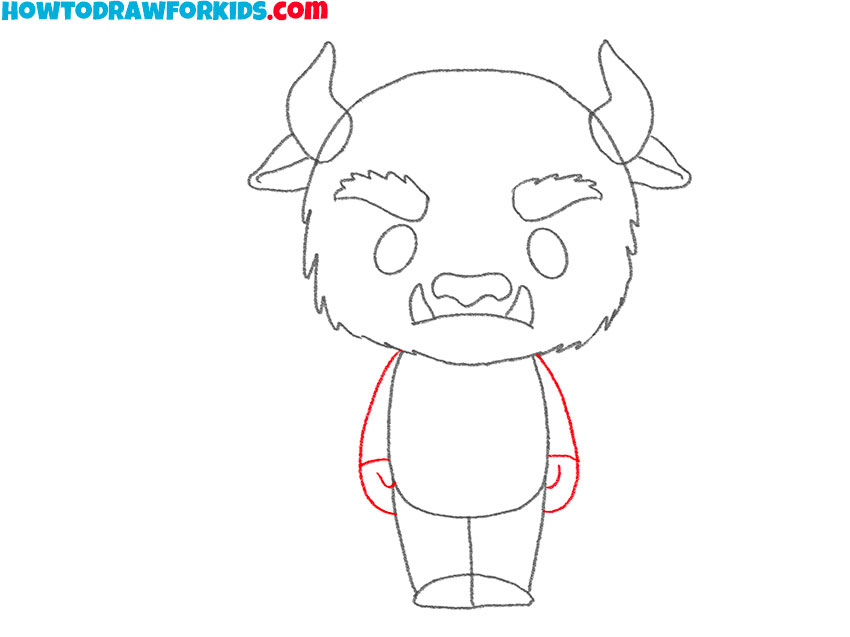
- Outline the Beast’s arms and hands.
Extend one arm down each side of the torso, beginning near the lower edge of the head. Add simple hands at the ends and let the arms rest close to the body.
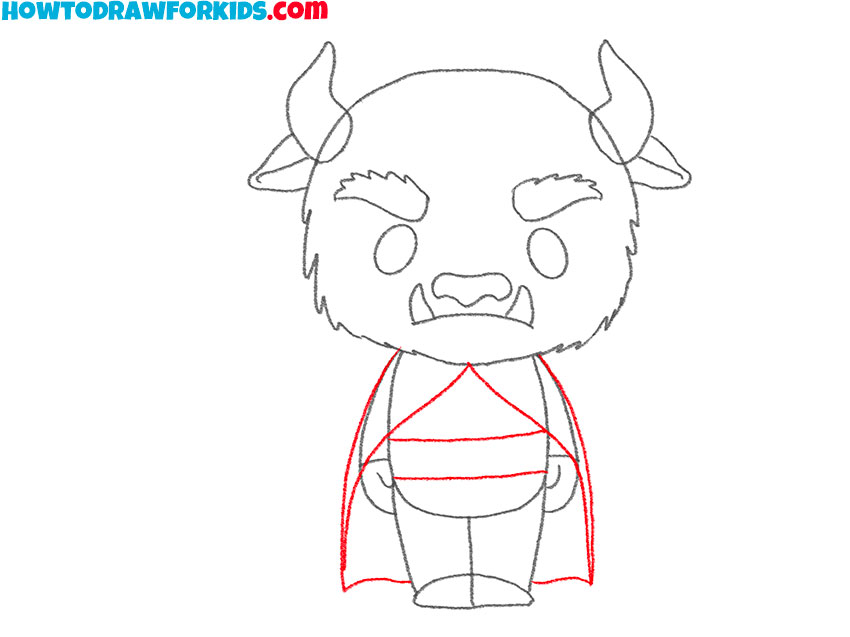
- Add the cloak and wide belt.
Outline the long cloak behind the Beast’s arms and legs. Draw its lower edge near the feet, then add a wide belt across the waist with a simple buckle in the center.
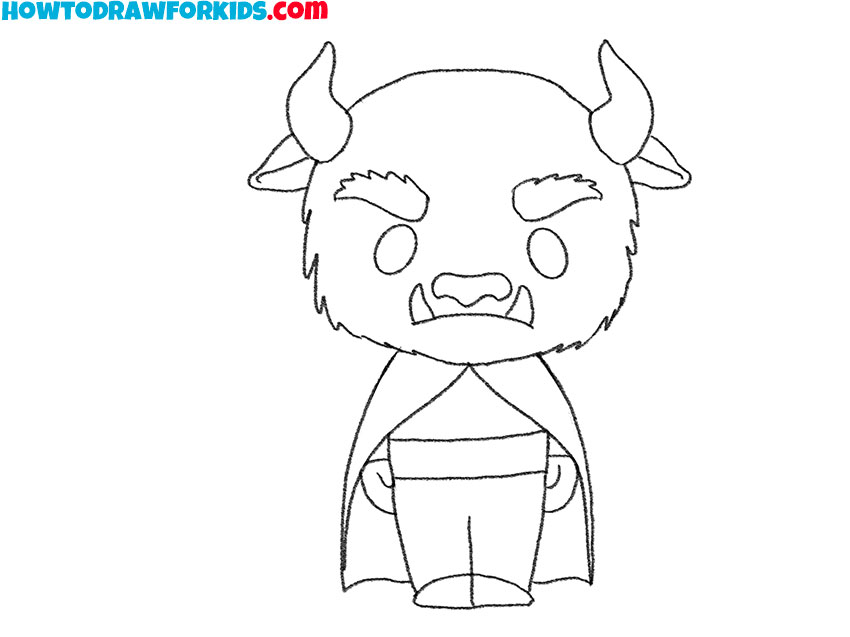
- Clean up the Beast line drawing.
Erase the guidelines and any lines hidden by the arms, clothing, or head. Correct uneven areas where needed, then darken the remaining outline before coloring.
- Color the Beast drawing.
Use brown shades for the Beast’s fur and horns. Color the cloak gray, make the clothing blue, and use a darker tone for the belt and shoes.
Beast Drawing Printables
The PDF contains the drawing steps and extra worksheets that you can print and use without an Internet connection.
Conclusion
The Beast’s large head sets the scale for the entire figure. If the torso becomes too wide or tall, the character loses the proportions used in this drawing.
The same combination of horns and a human figure appears in another form when you draw the Minotaur. That tutorial uses a larger body and gives you more practice joining an animal head to human shoulders.
For a simpler creature with fewer clothing details, try drawing a monster. You can change the expression without rebuilding the entire figure.
You can also practice this character’s most important animal feature separately by learning how to draw horns. Their direction and spacing can make the Beast look quite different.