How to Draw an 8-BIT Character
This tutorial shows how to draw an 8-bit character using straight, pixel-like lines to recreate a classic game hero in a simple running pose.
Prepare to Draw an 8-Bit Character
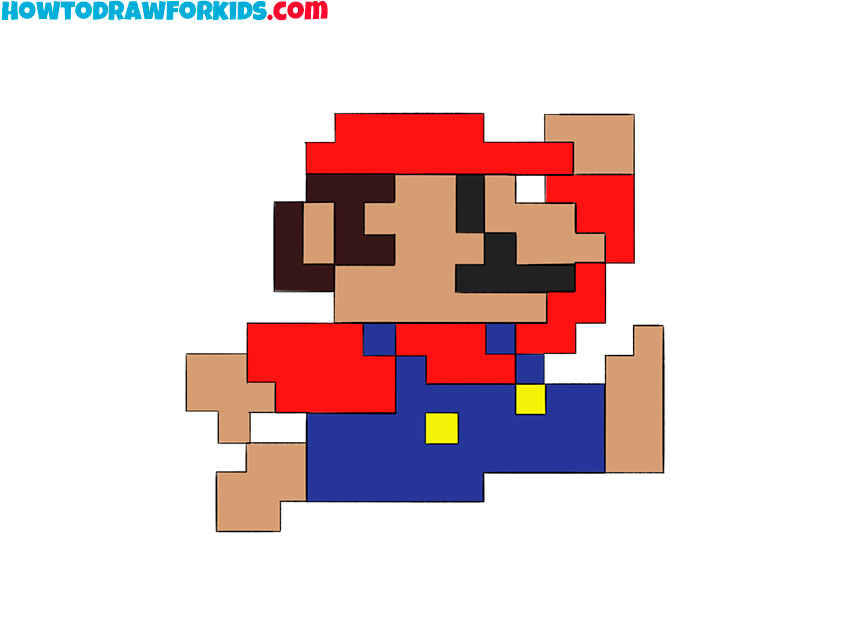
In this tutorial, I will show you how to draw an 8-bit character. Figures in this classic video game style are made with short straight lines that imitate square pixels.
You will draw the popular character Mario. Here, he is shown in motion, and the position of his arms and legs creates a simple running pose.
You can use a ruler to help draw straight lines, but it is also possible to complete the entire pixel character freehand.
8-Bit Character Drawing Tutorial
Materials
- Pencil
- Paper
- Eraser
- Ruler
- Coloring supplies
Time needed: 30 minutes
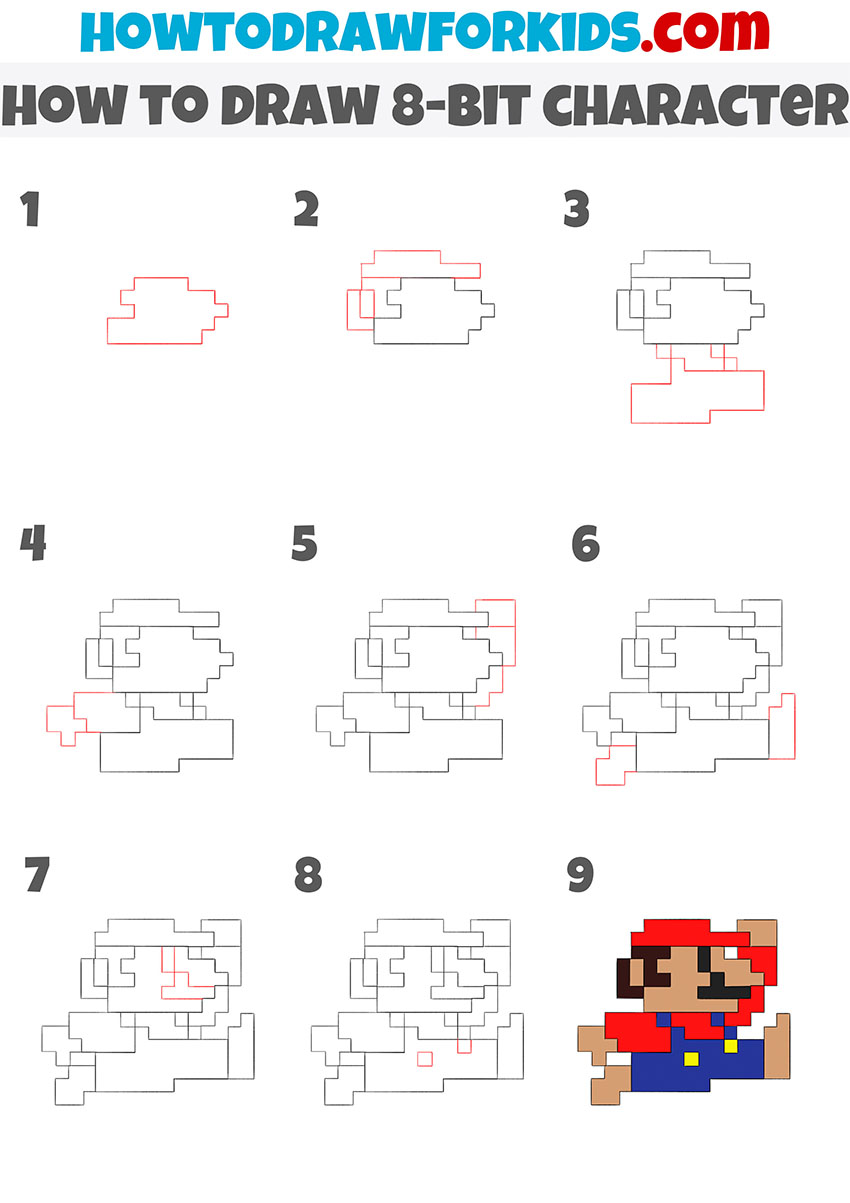
How to draw an 8-bit character step by step
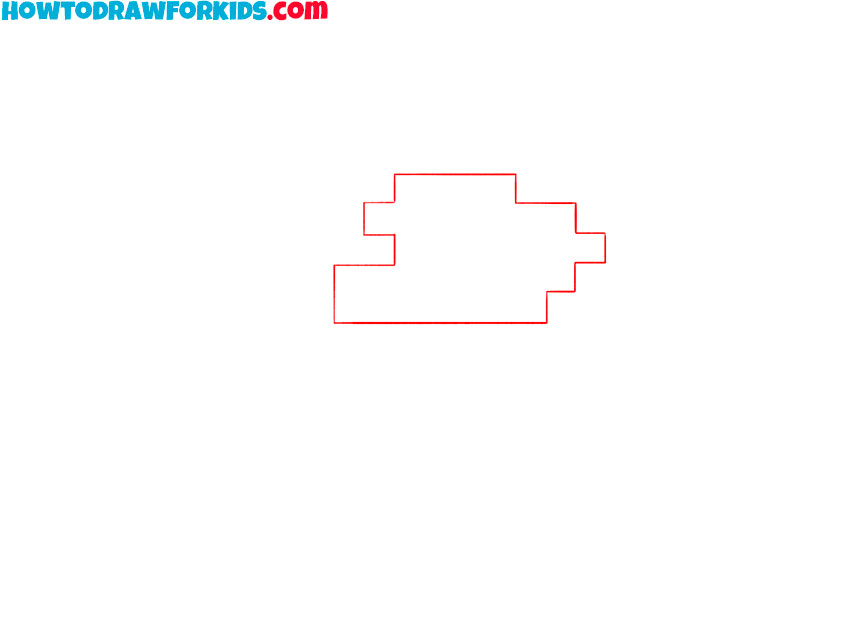
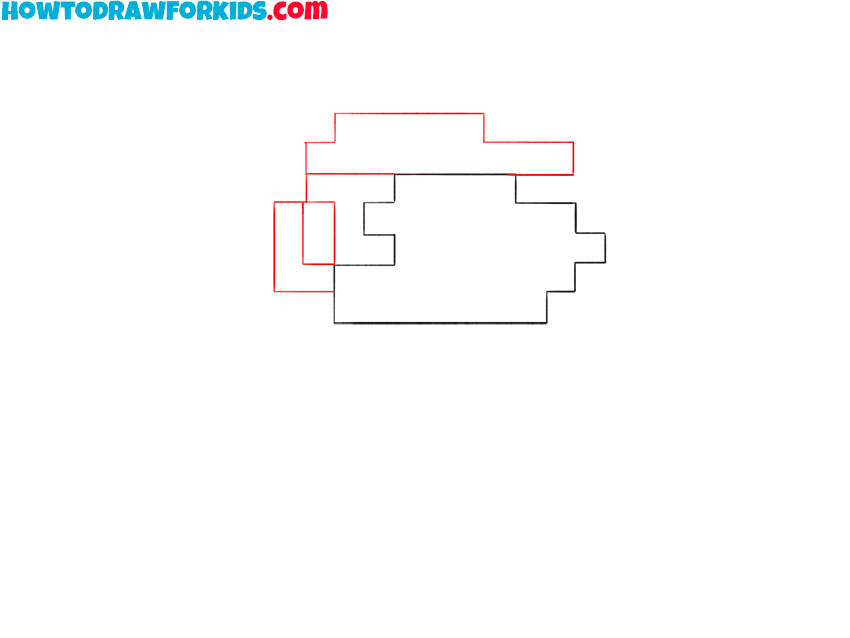
- Draw the 8-bit character’s head.
Outline the character’s elongated head with short horizontal and vertical lines. Use the stepped shape to form the forehead, nose, mouth, chin, and back of the head.
- Add the 8-bit cap and hair.
Use several short straight lines to draw the 8-bit cap with a visor. Add a stepped outline behind the head to form the character’s pixel-style hair.
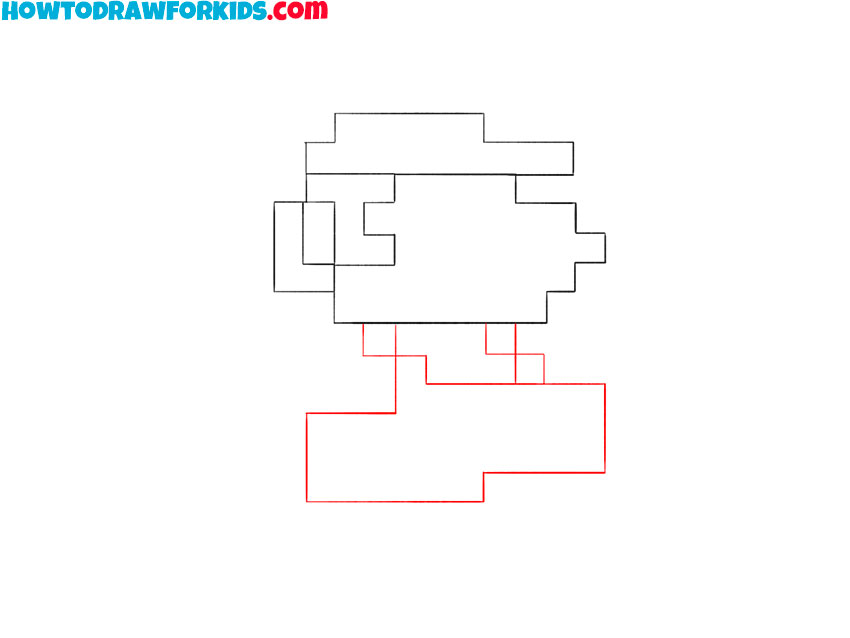
- Add the torso and legs.
Below the head, draw the small torso with straight lines. Add two rectangular legs beneath it and place them at different angles to create the 8-bit character’s running pose.
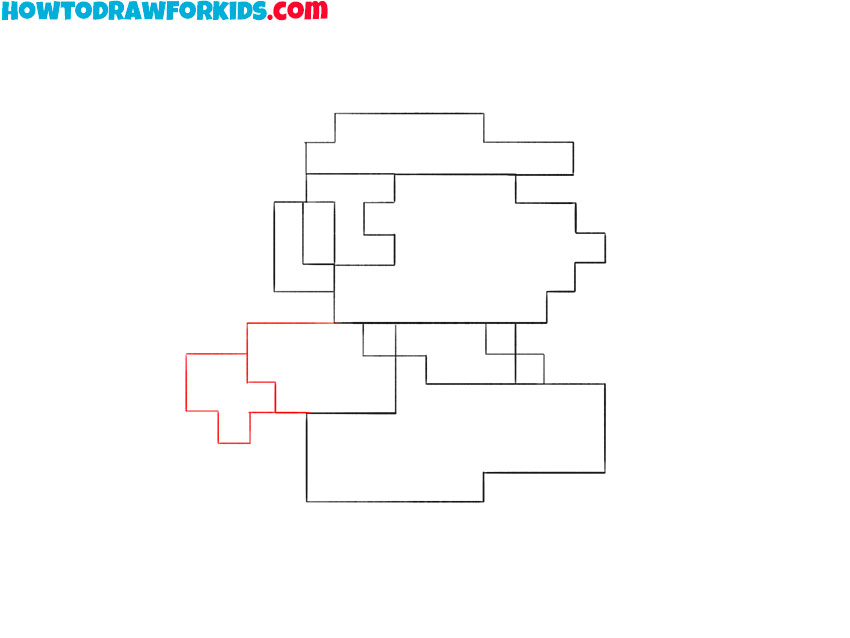
- Sketch the first pixel arm.
On the left side of the torso, sketch the first arm with a stepped outline. Draw the hand turned downward and use several short lines to shape the thumb.
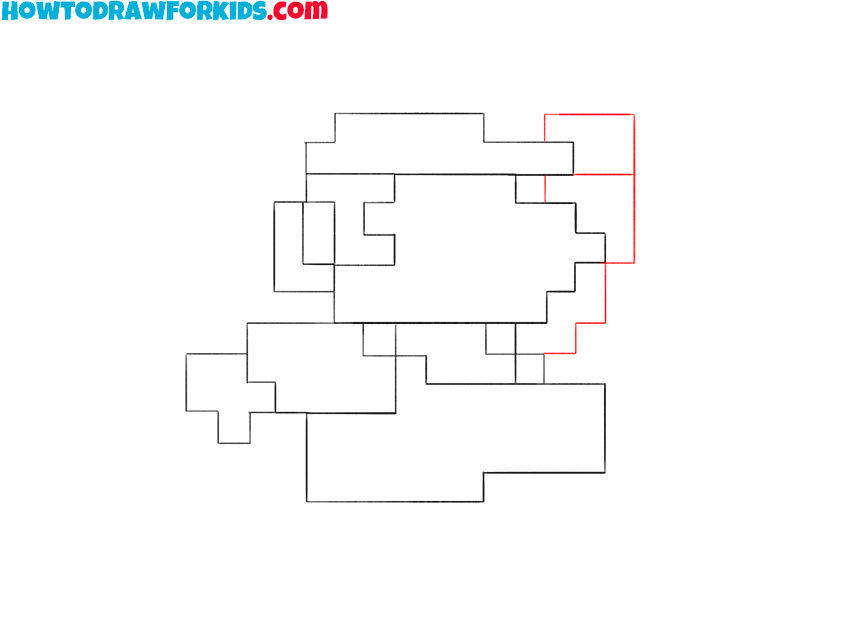
- Draw the 8-bit character’s second arm.
On the right side of the body, draw the second arm raised upward. Use short horizontal and vertical lines to outline the sleeve, forearm, and hand.
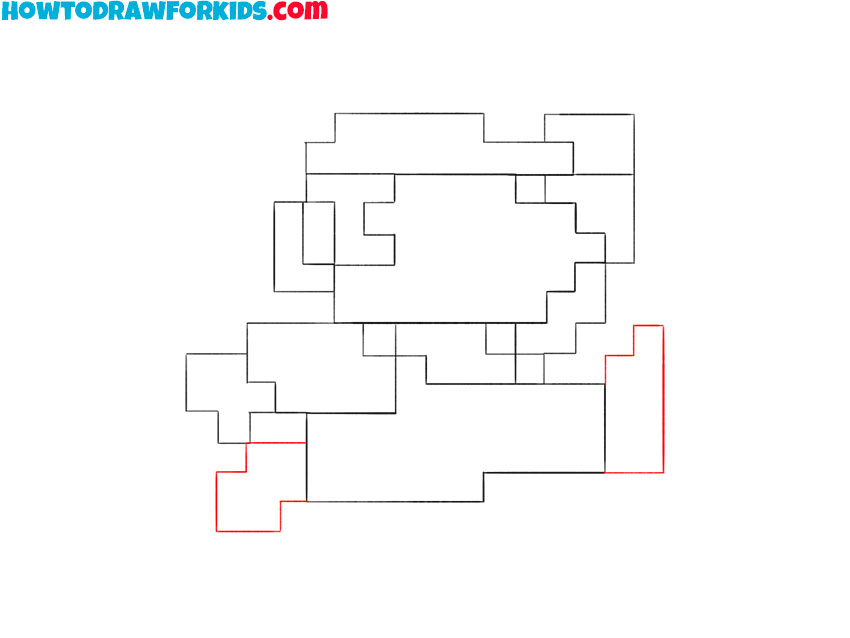
- Sketch the character’s shoes.
At the bottom of each leg, sketch the shoes with short straight lines. Extend the shoe on the forward leg farther to support the movement of the pose.
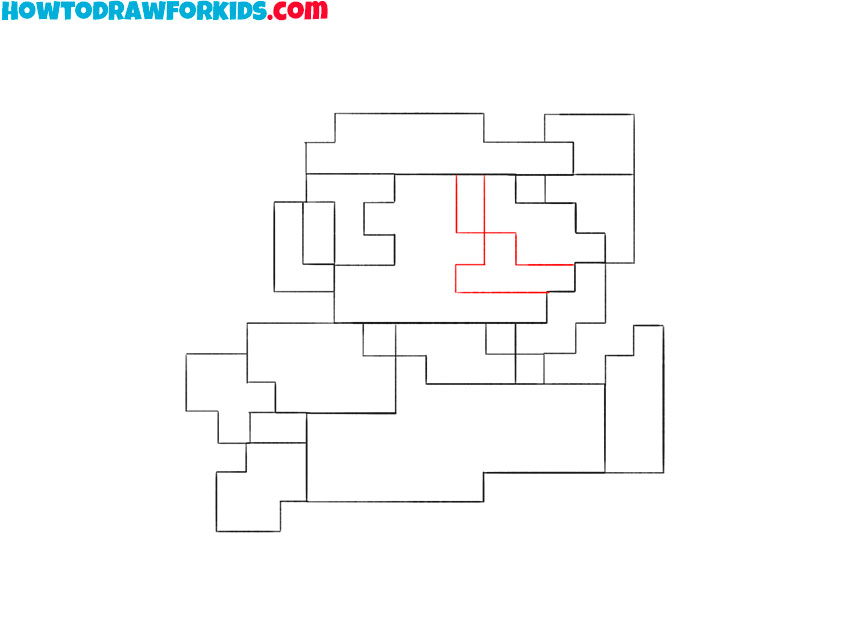
- Add the character’s facial features.
Inside the head, draw the small square eye near the nose. Add the 8-bit character’s mustache below it with a short stepped outline that follows the pixel style.
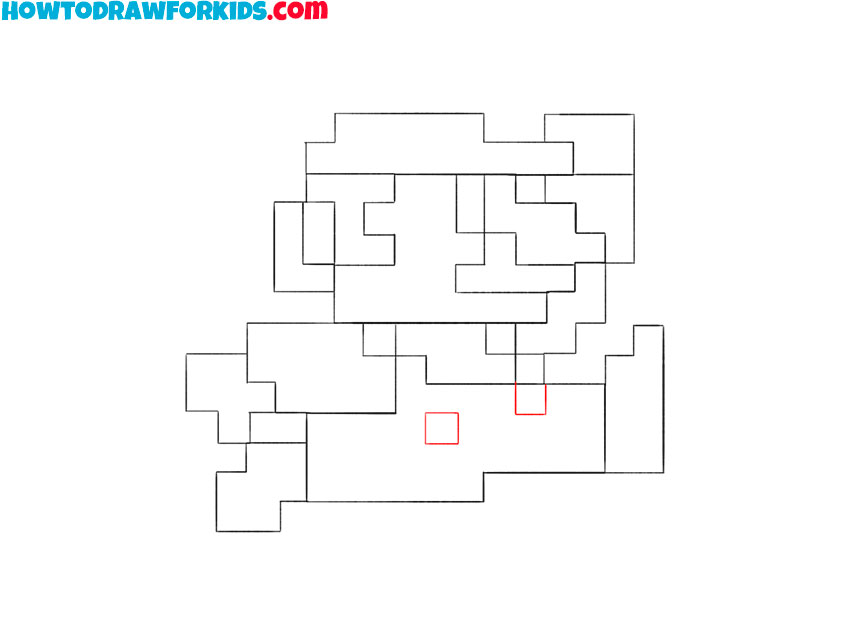
- Draw the overall buttons.
Draw two small square buttons on the front of the overalls. Place them beside each other near the upper part of the torso.
- Color the 8-bit character.
Color the character’s cap and shirt red, and use blue for the overalls. Add brown to the hair, mustache, and shoes, then apply a light skin tone to the face and hands.
8-Bit Character Drawing Printables
For your convenience, I have created a simplified version of the tutorial in PDF format. Download the file so you can return to the drawing at any time, even without Internet access.
Conclusion
Use the same short straight lines to create other pixel-style figures and poses. You can continue with another version of the same character by drawing 8-bit Mario in a different pose.
For a version with smooth cartoon outlines, try drawing Mario in his regular style.
Another pixel-based subject is available in the tutorial on drawing 8-Bit from Brawl Stars.